How to Create an Ethereum Wallet
Creating an Ethereum wallet usually means setting up a wallet app or hardware device, saving your recovery phrase, and finding your Ethereum receive address. An Ethereum wallet is the tool that lets you access and manage ETH and many Ethereum-based tokens on Ethereum Mainnet.
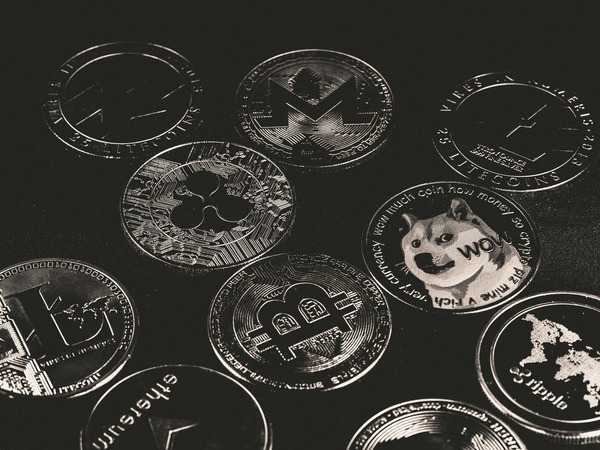
In this guide, you will learn what an Ethereum wallet is, the main wallet types, how to set one up step by step, and what to do before using it for the first time. This article stays focused on wallet creation, backup, and first-use basics. It is not a wallet ranking, a full investing guide, or a cashout tutorial.
What is an Ethereum wallet?
An Ethereum wallet is software or hardware that creates and manages the credentials used to access assets on the Ethereum blockchain. It gives you a public receive address for incoming ETH and tokens, and it protects the private key or recovery phrase that controls wallet access.
For beginners, the most important point is that the wallet does not literally hold coins inside the app or device. It manages access to assets recorded on the blockchain. If you want a deeper explanation of the receive side, it helps to read what is an Ethereum address before making your first transfer.
Most Ethereum wallets today can manage ETH and ERC-20 tokens. Some may also display NFTs, depending on the wallet interface.
Types of Ethereum wallets
There are several ways to create an Ethereum wallet, and the main difference is where the keys are stored and how you access them. A software wallet runs on a mobile phone, desktop computer, or browser extension. It is usually the easiest option for day-to-day access and small amounts. A hardware wallet is a separate physical device designed to keep keys isolated from your internet-connected device, which many people prefer for long-term storage.
It is also useful to understand custodial and non-custodial setups. In a non-custodial wallet, you control the recovery phrase and the wallet access yourself. In a custodial wallet, a third party helps manage access, which can make recovery easier in some cases but means you depend more on the provider. For most wallet-creation guides, the default assumption is a non-custodial wallet because backup and key control are central to the setup process.
Ethereum wallet vs address vs password vs recovery phrase
| Item | What it is | What it does |
|---|---|---|
| Wallet | The app or device interface | Lets you manage access to ETH and tokens |
| Ethereum address | The public receive address | Used to receive ETH and tokens |
| Wallet password or PIN | A local login layer | Protects access to the wallet app on that device |
| Recovery phrase | The backup phrase that restores the wallet | Can recover wallet access if the device is lost or replaced |
A common beginner mistake is confusing the wallet password with the recovery phrase. The password helps protect local access on one device, but it does not replace the backup phrase. If the device is lost or the app is deleted, the recovery phrase is usually what restores access.
How to create an Ethereum wallet step by step
The setup process is similar across most providers. First, choose the wallet format that fits your needs, such as mobile, desktop, browser, or hardware. Then download it only from the official website or official app store listing. After installation, select the option to create a new wallet and set a local password or PIN if the wallet asks for one.
Next comes the most important step: write down the recovery phrase exactly as shown and store it in an offline, private location. Some wallets ask you to verify the phrase by entering the words again in the correct order. Once that is complete, the wallet will show your Ethereum receive address. That is the public address you use when receiving ETH or Ethereum-based tokens.
After setup, a new wallet usually shows no balance until funds are sent to it. That is normal.
Is an Ethereum wallet free?
Many software wallets are free to download and create. If you install a mobile wallet, desktop wallet, or browser wallet, there is often no setup charge. Hardware wallets usually cost money because they are physical devices.
Creating the wallet itself is separate from paying transaction costs. You do not usually need ETH just to generate the wallet or receive funds. But sending ETH, sending tokens, or interacting with apps on Ethereum Mainnet usually requires ETH for gas fees. If you want a separate explanation of fees, see Ethereum gas fees explained.
First things to do after creating your Ethereum wallet
- Confirm that your recovery phrase is written down correctly and stored offline.
- Make sure you know which address is your Ethereum receive address.
- Check that the sender is using Ethereum Mainnet when sending standard ETH.
- Double-check the full address before confirming a transfer.
- Start with a small test transaction instead of a large first transfer.
- Wait for network confirmation before assuming the funds have arrived.
- Leave some ETH in the wallet if you plan to send funds later or pay gas fees.
These steps reduce common setup errors. Sending on the wrong network can be difficult or impossible to recover, even if the address looks valid.
How to keep an Ethereum wallet safer
The most important security habit is protecting the recovery phrase. Keep it offline and private, and avoid storing it in screenshots, cloud notes, email drafts, or chat messages. If someone gets that phrase, they may be able to restore the wallet elsewhere and access the funds.
You should also be careful with fake wallet apps, phishing websites, and fake support messages. No legitimate support team should ask for your recovery phrase. Before sending funds, compare the address you copied with the address shown in the wallet. Clipboard malware can replace a copied address with a different one, so address mismatch checks matter. Basic device security, such as a screen lock and updated software, also helps protect wallet access.
Common mistakes when creating an Ethereum wallet
New users often download a wallet from an ad or unofficial source instead of the provider's real website or app listing. Another frequent mistake is storing the backup phrase digitally where it can be exposed later. Some users also forget that the wallet password and the recovery phrase are different things, which leads to confusion when they try to restore access on another device.
Network mistakes are also common. An address can look correct while the selected network is wrong. Before receiving standard ETH, confirm that the sender is using Ethereum Mainnet. If you are unsure about that part, you can review what is Ethereum Mainnet before accepting a transfer. It is also smart to begin with a small test transaction instead of moving a large amount right away.
Conclusion
To create an Ethereum wallet, choose a wallet type, install it from an official source, create a new wallet, set a password if required, and back up the recovery phrase carefully. After that, you can use the wallet to receive ETH and many Ethereum-based tokens.
The setup itself is usually simple. The part that matters most is how you protect access afterward. If you understand the difference between the wallet, the address, the password, and the recovery phrase, you are far less likely to make a costly beginner mistake.
FAQ
Is an Ethereum wallet free to create?
Many software Ethereum wallets are free to set up. Hardware wallets usually require buying a device.
Do I need ETH in my wallet?
You do not usually need ETH to create the wallet or receive ETH. You usually need ETH to pay gas fees when sending funds or interacting with Ethereum-based applications.
What is the difference between a wallet address and a private key?
A wallet address is public and used to receive funds. A private key is private and controls access to the wallet. The recovery phrase is the backup that can restore that access.
Can I use one wallet for ETH and ERC-20 tokens?
Yes. Most Ethereum wallets can manage ETH and many ERC-20 tokens in the same interface.
What happens if I lose my recovery phrase?
If you lose the recovery phrase and also lose access to the wallet app or device, restoring the wallet may not be possible.
Is an Ethereum wallet safe?
A wallet can be used safely, but the result depends heavily on setup and habits. Using official sources, protecting the recovery phrase, checking addresses carefully, and avoiding phishing attempts all matter.
Do I need a wallet to receive ETH?
You need some form of wallet access to control received ETH yourself. In custodial setups, that access may be managed through a provider instead of a self-managed wallet app.